How to Create New Admin User in Magento 2
Steps to Create New Admin User in Magento 2:
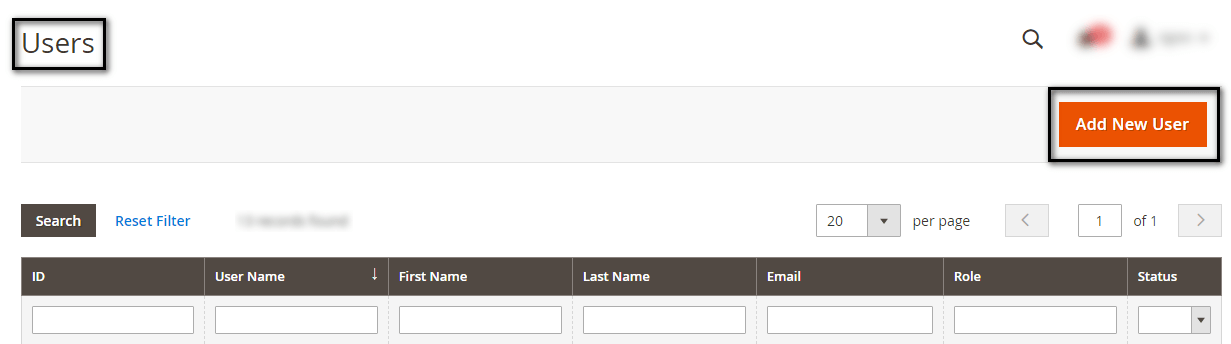
Step 1: Navigate to System under Permissions click on All Users option.
Step 2: Now, click on the Add New User button as shown in the screenshot below.
Step 3: Fill out the fields in the Account Information option:
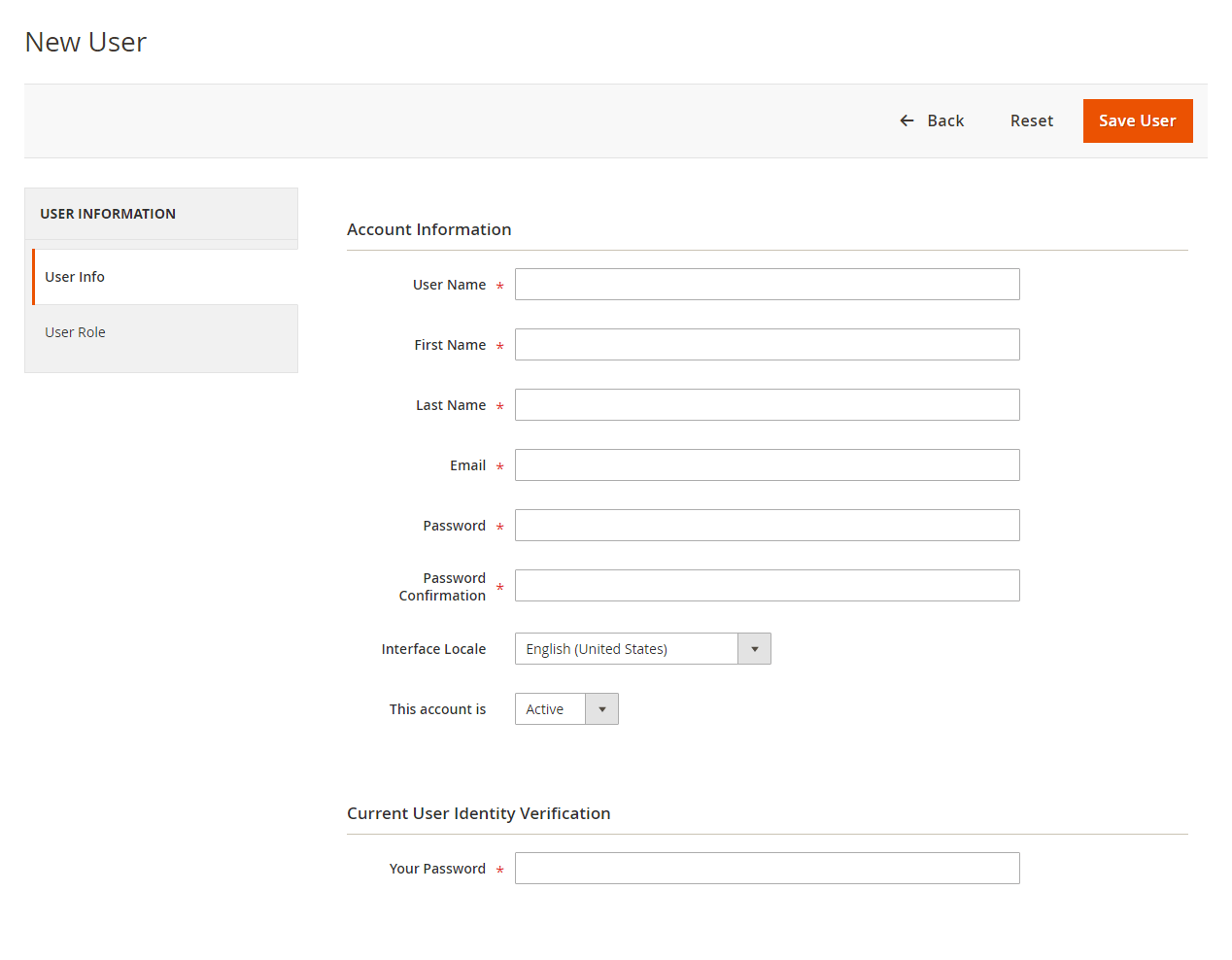
User Name: Add username for the new account creation.
Enter according to your Requirement:
First Name
Last Name
Email: The email Id you use must be unique.
Enter a valid and confirm that same in the below field. Make sure you enter a secured password.
Password
Password Confirmation
Interface Locale: Admin needs to choose the language to be used for the admin interface if your store has multiple languages.
This account is: Enable it to Active
Current User Identity Verification
Your Password: Enter your password to confirm you are creating the user.
Step 4: After this steps, you will need to Determine User Role
Now select for User role from the left side as illustrated in the below screenshot. By default the role is Administrators.
Step 5: After the above steps completion tap on Save User.
That’s It.
Comments
Post a Comment